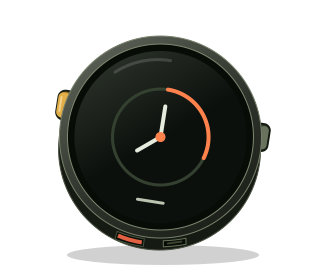
Six days of putting things on a screen. Today the screen becomes an interface.
The first version ran on a rectangular Waveshare display. Its widget logic passed injected-touch tests, but physical touch calibration remained unresolved. That investigation is preserved in the repository history.
On September 23, the hardware direction changed: keep the projects, move to the M5Stack Stopwatch, and verify one day at a time. Touch Calibration became Day 07. LVGL moved to Day 08.
A circle changes the layout
The counter, slider, switch, and second screen survived the move. The scrolling rectangular layout did not.
A centered 300 × 350 column fits inside the Stopwatch’s round face. Putting the Orange mode label beside its switch makes room for About on the same screen. The buttons stay dark when the background turns orange, so their boundaries remain visible.
M5Unified initializes the board and reads touch. LVGL still owns the widgets and their events; a small display callback hands the rendered pixels to M5GFX.
Ask the driver how big it is
The first build stopped at its own hardware check. We expected a 466 × 466 drawing surface because that is the advertised panel resolution. The installed M5GFX driver reported 468 × 468, while M5Stack’s own Stopwatch HAL configures a 468 × 466 drawable area. Using the reported height sent two extra rows to the physical panel and left a distracting black strip at the bottom on bright screens, so the firmware corrects the geometry before LVGL starts.
The board identified itself correctly, touch was enabled, and all 8 MB of PSRAM were present. The size assumption was ours.
The firmware now reads the driver’s dimensions before allocating its buffers and creating the LVGL display. On the next flash, the interface ran.
Keep the instrument
The old day’s useful invention was a second LVGL pointer device controlled over USB. That survived too.
A scripted tap goes through hit-testing and the same event callback as a physical touch. The display callback also retains a copy of the pixels it sends to the panel, giving us screenshots without asking the AMOLED to read them back. Capture transfers run in small chunks so the application keeps processing input while the host receives the image.
The new test pressed Count, moved brightness to both limits and an intermediate value, toggled Orange mode, and checked that every value survived About and Back. Screen captures recorded the result. Twenty more round trips left the heap and PSRAM readings unchanged.
The regenerated candidate also loaded the saved Day 07 version-2 generation-2 map directly from the device. Its automated run passed and left the map, free heap, and free PSRAM unchanged through twenty screen round trips. The remaining check is human: button feel, whether the mapped targets line up with a finger across the round face, and whether brightness feels right on the glass.
The buttons get a common language
The next correction was about controls. C25K already had the preferred grammar: left goes back, right goes forward, both selects, and holding both escapes. BtnA is physically left; BtnB is right, with the lanyard at the bottom.
Day 08 now uses that same recognizer unchanged. The physical buttons move an outline through the widgets, activate Count and Orange mode, edit brightness, and navigate About. Touch remains a second way to exercise the same LVGL controls.
The distinction matters when both buttons are released at different times. A selection must not also move focus, and holding both to leave the brightness editor must not select it again on release. The portable button checks cover those edges; the device harness feeds simulated button samples through the debounce and gesture code before checking the visible result.
The first combined verification run overlapped with hands-on testing. The extra touches changed the counter while the script expected it to stay still. With the device idle, the full button and touch run passed, including twenty screen round trips. A screenshot also caught clipped focus outlines. LVGL outlines draw outside a widget’s measured box, where a parent can clip them even when the layout looks roomy. Drawing the focus ring as an inset border makes the widget’s dimensions authoritative and removes that failure mode.
What we learned
- A flex layout still needs a viewport that fits the physical screen.
- The advertised panel resolution and the driver’s drawing surface can differ; size buffers from the driver.
- Keeping screens alive keeps their widget state alive.
- A shared button grammar makes the next project familiar. Keep left and right explicit at the hardware boundary.
- Injected input and captured frames prove a useful part of the interface. Physical touch needs its own check.
The board changed. The widget lesson held.